Waitlist Landing Page: What to Build and How (2026)
Last updated 29 July 2026
A waitlist landing page has one job: collect an email from someone who cannot buy yet. It needs a concrete promise, one field, and a clear reason to join now rather than later. Everything else — pricing, feature lists, long explanations — costs you signups rather than earning them.
This is not your website. Your website is the permanent home with navigation, an about page and a blog. This is a single campaign page with one action, and it usually points traffic back to your main site. Most people run both.
When to use one
- You are validating an idea and want evidence before writing code.
- The product is months away but the audience is paying attention now.
- You are launching on Product Hunt and want an audience assembled beforehand.
- A feature is in private beta and you need to pick who gets in.
- You are testing two positioning angles and want to see which one people sign up for.
What goes on the page
- A headline naming the specific thing being built — not “something exciting is coming”.
- One or two sentences on who it is for and the problem it removes.
- A single email field. Every extra field is a reason to leave.
- A reason to join *now*: early access, founder pricing, a place in the queue.
- Honest proof if you have it — a count, a logo, a quote. Nothing invented.
- What happens next, so joining feels like a transaction rather than a void.
What kills it
- Asking for name, company and role when the email is the only thing you need today.
- Describing a vision instead of a product. People join waitlists for things they can picture.
- No sense of timing — “coming soon” with no indication of whether that means weeks or years.
- Burying the form under an explanation nobody scrolled far enough to finish.
- Fabricated social proof. A waitlist with invented testimonials is the fastest way to lose the launch.
What we measured across 675 live pages
A waitlist page is the most CTA-dependent page there is — it has exactly one thing to ask for. Our crawl of live B2B startup sites suggests that is not a given, and that proof tends to arrive after the ask rather than before it.
30.7%
of 675 pages had no call to action anywhere in the body of the page. Buttons in the nav, header and footer are excluded from this count — a sticky header's “Get started” measures the header's existence, not the page's.
11.6%
of 675 pages placed social proof before the first call to action, so the visitor is asked to act before being given a reason to trust.
Source: The State of SaaS Landing Pages — our own crawl of 800 sites sampled from Y Combinator's public company directory — active companies classified B2B/SaaS, of which 675 returned a scoreable page. Collected 25 July 2026, seed 20260725; the full dataset and method are published so the sample can be reproduced.
Building one with LeadzLander
Describe the page in plain English
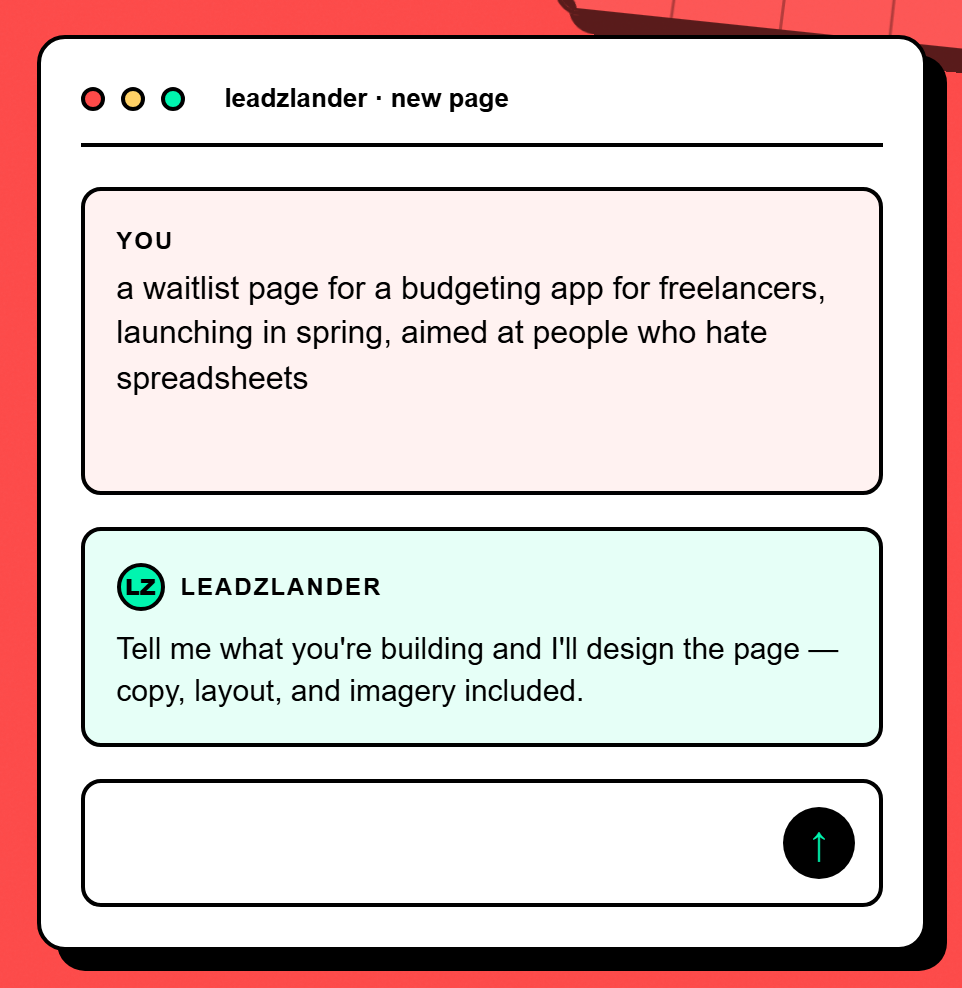
Type what the page is for, who it is aimed at and what you want the visitor to do. For this use case that looks like: “a waitlist page for a budgeting app for freelancers, launching in spring, aimed at people who hate spreadsheets” — no formatting, no prompt engineering.
Answer a few clarifying questions
LeadzLander asks a short set of questions about your audience, tone and goal, generated from your brief rather than a fixed form. Skip any you do not have an answer to — it fills the gaps itself.
Watch it build the page
It researches the audience, writes the copy, picks a layout and assembles the page. You see the sections appear as they are composed rather than staring at a spinner.
Refine by chatting, not dragging
Chat on the left, live preview on the right. Ask for a shorter headline, a different tone or a new hero image and the preview updates. After each edit, badges mark exactly which sections changed.
Publish, then watch what converts
One click puts it on a live URL we host. The form captures leads you can export as CSV, and the insights panel shows views, visitors, traffic sources and the leads themselves.
Questions
How many form fields should a waitlist page have?
One — the email address. Every additional field costs you signups, and at the waitlist stage you have not earned the right to ask for more. You can enrich the record later, once someone has already said yes. If you genuinely need one segmenting question, make it optional and put it after the email field.
Do I need a waitlist page if I already have a website?
Usually yes, and they do different jobs. Your website explains the company and has navigation, an about page and multiple exits. A waitlist page has one action and no way out, which is why it converts better on campaign traffic. Keep the website where it is and point the ads, posts and emails at the waitlist page.
What should happen after someone joins the waitlist?
Tell them immediately what they have joined and when they will hear from you, then actually follow through. A waitlist decays: people who signed up four months ago and heard nothing will not remember you at launch. A short note every few weeks — progress, a screenshot, a question — keeps the list worth having.
Can I build a waitlist page for free with LeadzLander?
Yes. The Free plan includes one published page and five AI generations a month, with hosting and lead capture included and no credit card required. Waitlist is one of the three page types the generator is built around, so it shapes the structure, copy and form for that job rather than handing you a generic template.
Other things people build
- Newsletter signup page — Turn a reader who liked one thing you wrote into someone who hears from you every week.
- Event registration page — Convert someone who just heard the event exists into someone who has registered for it.
Build one free — no card
Describe the page in a sentence and see what comes out. Hosting and lead capture are included on the free plan.
Start free